Top Task Management Software for Teams
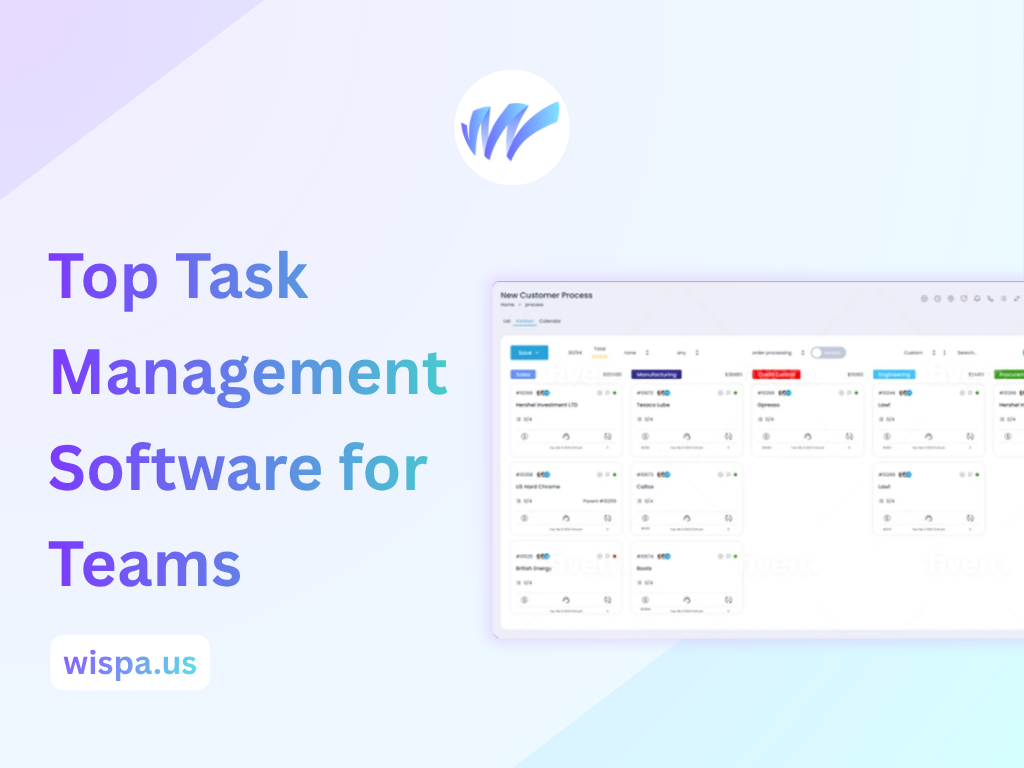
In today’s fast-paced work environment, managing tasks efficiently is crucial for team success. Task management software has become an essential tool for teams of all sizes. It helps organize, prioritize, and track tasks, ensuring nothing falls through the cracks. These tools enhance team collaboration and streamline workflows. They offer features like task assignment, deadlines, and progress tracking. With so many options available, choosing the right software can be overwhelming. This article will guide you through the top task management software for teams. We’ll explore their features, benefits, and how they can improve productivity. Whether you’re a team leader or a project manager, you’ll find valuable insights here. What Is Task Management Software and Why Teams Need It Task management software is a digital tool or business management tool designed to help teams organize, manage, and track tasks. It centralizes team collaboration, offering a clear overview of ongoing and upcoming projects. This software is essential for ensuring that team objectives align and no task is overlooked. Teams benefit greatly from features like task assignment and deadline management. These tools also offer integrated communication channels and automated reminders, which are critical for keeping everyone informed. Many tools provide visual aids like Kanban boards for better task visibility. Here are several key features that highlight the importance of task management software: Task assignment and tracking Deadline management Integrated communication Automated reminders Visual aids like Kanban boards Implementing task management software boosts team productivity and enhances workflow efficiency. Teams often find that these tools streamline communication and foster a collaborative work environment. In today’s remote work landscape, having such a system is more important than ever. Key Features to Look for in Task Management Software Choosing the right task management software for your team requires understanding its key features. These features greatly impact how effectively your team can collaborate and manage projects. Look for tools that align with your specific workflow and team needs. Here are some of the top features to consider: Task assignment with clear roles Progress tracking for accountability Customizable notifications to stay informed Integration with other tools for seamless operations Mobile app availability for on-the-go access These features enable teams to stay organized and meet deadlines more effectively. The software should also include visual tools like Gantt charts or calendar views to monitor progress. Such visual aids offer a transparent overview of project statuses, promoting accountability and teamwork. Top Task Management Software for Teams Selecting the right task management software can streamline your team’s workflow. Let’s explore some top-rated tools tailored for various team needs. These platforms offer features that foster collaboration and improve project efficiency. Each software presents unique strengths, making it easier to find a perfect match for your team. 1. Wispa Wispa is an innovative solution that will assist a team in organizing its workflows and working in a harmonious way. Given that it aims at enhancing communication and simplifying project management, Wispa helps the teams to stay structured and work on the most important issues. Wispa has a flexible environment whether managing a large team or working on an individual project. Key features include: Real-time team collaboration and messaging Task and project management with detailed tracking Centralized file sharing and document storage Customizable workflows and templates Integration with popular tools like Slack, Google Drive, and Trello Wispa is a clean interface with strong integrations, which makes it an impressive tool that can enhance productivity of contemporary teams. The possibility to centralize communication and management of tasks offered by the platform helps to reduce the friction in the daily working process and enhance team performance. When working on a small project, or managing an elaborate project, Wispa will fit your needs, with features that expand with the size of your team. 2. Asana Asana is a leader in task management, known for its intuitive design and robust capabilities. It caters to teams of all sizes, facilitating seamless coordination. With Asana, you can organize projects, assign tasks, and set deadlines effortlessly. Key features include: Task assignment and due dates Multiple project views (list, board, calendar) Integration with over 100 apps Asana’s user-friendly interface allows teams to manage tasks efficiently, keeping everyone on the same page. It also offers insightful project analytics, helping managers track progress and identify bottlenecks. 3. Trello Trello uses a card-based system perfect for visual task organization. Teams can create boards for different projects, making it easy to track tasks at a glance. This simplicity makes Trello a favorite among teams seeking straightforward project management. Features include: Drag-and-drop card system Checklists within cards Easy collaboration through comments Trello’s flexibility allows teams to set up boards that align with specific workflows. It’s ideal for quick visual referencing and keeping projects transparent. Trello integrates seamlessly with numerous apps to enhance productivity. 4. Monday.com Monday.com stands out with customizable workflows and automation capabilities. This software adapts to diverse team needs, from marketing to development. Its vibrant visual interface simplifies complex project tracking. Notable features: Customizable dashboards Automation for repetitive tasks Time-tracking and resource management Monday.com offers various templates to help teams get started quickly. It supports extensive integrations, enabling a unified tool ecosystem. Enhanced visibility ensures team members are always informed and engaged. 5. ClickUp ClickUp is all about providing a comprehensive feature set and flexibility. It aims to be the one-stop-shop for all project management needs. ClickUp covers task management, document collaboration, and goal tracking in one place. Important features: Multiple view options (list, board, Gantt) Built-in time tracking Customizable statuses and templates Teams benefit from ClickUp’s all-in-one approach, reducing the need for multiple tools. Its adaptability caters to various industries and team sizes, promoting efficiency and clarity in projects. 6. Wrike Wrike combines powerful project management features with an intuitive interface. It’s designed to enhance productivity through clear task organization and communication. Wrike supports teams in managing project scopes and timelines effectively. Features include: Gantt charts for project planning Real-time collaboration and file sharing Customizable workflows Wrike’s robust reporting tools provide insights into project
From Chaos to Control: Why Construction Companies Need More Than Hope

Let’s be blunt. In construction, chaos is the norm. Deadlines slip. Margins vanish. Communication breaks down. And every day you’re left plugging holes in a ship that springs new leaks the moment you patch the last one. You don’t need another pep talk about “thinking positive.” You need a business management system. Because belief alone doesn’t stop cost overruns. Vision boards don’t keep crews on schedule. And good intentions don’t prevent payment disputes. If you’re running projects on spreadsheets, emails, and sticky notes — you’re not managing, you’re gambling. And every delay, every miscommunication, and every missed change order eats away at your reputation and your bottom line. The Pain Points You Already Know Too Well Unpredictable Margins: Weather, labor shortages, and supply delays destroy profitability before the job is half done. Cost & Time Overruns: Six-week projects stretch into four months — and you don’t see it coming until it’s too late. Change Order Nightmares: Clients change their minds, and suddenly you’re losing money and goodwill. Approval & Inspection Delays: Work grinds to a halt waiting on paperwork or sign-offs. Communication Breakdowns: Teams juggle texts, calls, emails, even faxes — and critical details slip through the cracks. Payment Disputes: Without airtight records, you’re stuck in drawn-out battles that sap cash and momentum. For years, these headaches were simply “the cost of doing business.” But they don’t have to be. The Turning Point: A System That Works as Hard as You Do This is where Wispa changes the game. Wispa isn’t another app to bolt onto your chaos. It’s an end-to-end operating system that replaces the mess of whiteboards, spreadsheets, and endless email chains with clarity and control. Here’s what that looks like in real life: Real-time project tracking — see what’s on schedule, what’s slipping, and where to step in Centralized communication — every update, approval, and change order in one place. Smart scheduling & resource management — keep crews in sync and projects moving. Documented proof — airtight records for when disputes arise. Custom reporting & insights — make decisions based on data, not guesswork. Wispa takes the chaos you’ve accepted as “normal” and turns it into control, accountability, and profitability. Why Wait Another Project to Fix What’s Broken? Construction margins are too thin to leave to chance. Every day you wait to implement a real system is another day of lost profit, lost time, and lost sleep. But here’s the kicker: you can try Wispa completely risk-free. All we ask is that you put some skin in the game with our white-glove setup fee. That way, we roll up our sleeves and tailor Wispa to your business from Day One. And after 90 days? If you’re not 100% satisfied that Wispa is moving the needle — giving you control, visibility, and profitability — we refund every penny. No risk. No excuses. No chaos. Ready to Build Smarter? You’ve built your business by showing up, taking action, and making things happen. Now it’s time to do the same with your systems. Stop reacting. Start leading. Book your Wispa demo today Because success in construction doesn’t happen by chance — it happens by system.
How Task Management Software Transforms Small Business Operations

When you first start a business, instinct and simple tools are often enough. A spreadsheet helps you plan, sticky notes remind you of tasks, and WhatsApp keeps quick conversations going with your team. That works, for a while. But as your business grows, the cracks start to appear. New team members join. Clients call more frequently. The number of tasks multiplies. Suddenly, no one is sure who owns which responsibility. Deadlines slip, tasks are forgotten, and employees end up duplicating the same work. Messages get buried in endless chat threads, and there is no single source of truth. This uncertainty creates confusion, drains energy, and wastes valuable time that could be spent moving the business forward. Understanding The Role of Task Management Software in Modern Businesses At the core, every business runs on tasks. Every strategic goal, whether launching a product, serving a client, or closing a sale, gets broken down into small, actionable items called tasks. On any given day, businesses may juggle dozens or even hundreds of such tasks. “Task management provides a system for organizing this workload, making it clear what needs to be done, by whom, and by when. It ensures the right people focus on the right work at the right time.” As businesses grow, projects become more complex, and the number of tasks rises. Managing them manually soon leads to chaos. A sales manager may miss a client follow-up buried in an email, a marketing team might duplicate a campaign due to unclear ownership, or a product team could delay a launch because task dependencies weren’t visible. A centralized task management platform solves these issues by consolidating tasks, updates, and communication in all in one business management platform. This eliminates scattered systems and creates clarity. According to the latest research, the global Task Management Software Market is set to grow from USD 3.25 billion in 2024 to USD 11.94 billion by 2034, at a 13.90% CAGR, reflecting the rising demand for structured task management worldwide. Unlike general productivity tools, task management software is purpose-built for operational control, ensuring visibility, accountability, and scalability in project execution. Task management software serves as the foundation for structured productivity. By providing a real-time view of what’s happening, who’s doing what, and when it’s due, task management software eliminates the guesswork that often clutters everyday operations. Key Ways Task Management Software Improves Small Business Efficiency Streamlining Task Tracking for Better Accountability Visibility is the foundation of effective task management. With the right software, every team member knows what to do, when it’s due, and who to work with. Business owners gain real-time insight into project status, pending deliverables, and potential roadblocks. Tasks are no longer hidden in sticky notes or buried in emails. Instead, they are trackable, auditable, and clearly documented across the team. This transparency fosters accountability, reduces duplication of work, and makes progress easier to evaluate. Enhancing Productivity with Centralized Tools Small businesses often lose time to constant context switching. Teams jump between emails, spreadsheets, and chat apps just to manage daily tasks. Task management software consolidates these functions into a single platform. Documents and messages can be attached directly to tasks, creating one central source of truth. Teammates can tag each other for quick input or feedback. Shared boards and calendars help teams track workflows in real time. With everything stored in one place, employees save time and maintain focus. This integration reduces information overload and allows people to get more done with less effort. Prioritizing Tasks to Focus on What Matters Most When everything feels urgent, knowing where to start becomes difficult. Task management tools bring clarity by introducing priority settings, color codes, or tags. Teams can filter work by urgency, deadlines, or strategic importance. Dashboards highlight top-priority actions, ensuring critical tasks receive attention first. Instead of reacting to constant pings or scattered emails, employees structure their days intentionally. This shift moves work from reactive habits to focused execution. The result is higher productivity, reduced stress, and a stronger sense of control. Improving Workflow Organization Across Teams Disorganized task assignments often create confusion, missed steps, and delays. Task management software turns messy workflows into structured, repeatable processes. Each task links to a larger project, assigned to the right person at the right stage. For example, client onboarding may involve ten repeatable steps across different departments. Templates standardize these steps so every client receives the same experience. Status indicators show progress clearly, allowing teams to track completion in real time. This structure minimizes miscommunication and ensures smooth handoffs from start to finish. Simplifying Project Tasks and Milestone Tracking Large initiatives contain multiple layers of interconnected tasks. Without structure, deadlines slip and bottlenecks go unnoticed. Task management platforms allow teams to break projects into smaller sub-tasks. Dependencies can be mapped, milestones can be tracked, and progress can be visualized. Teams monitor timelines, adjust workloads, and identify risks before they escalate. Milestone tracking also helps leaders see how daily work connects to larger goals. Even as team dynamics shift or workloads fluctuate, projects stay aligned. This clarity keeps initiatives on track and reduces last-minute stress. Impact of Task Management Software on Team Collaboration and Communication Breaking Down Silos and Encouraging Transparency Small teams often face misalignment due to fragmented tools and scattered information. Task management software eliminates this problem by creating a shared space where tasks, updates, and conversations come together. Every team member can see the full scope of a project and understand how their work connects with others. Dependencies between tasks become visible, ensuring no step is overlooked. With documents, notes, and updates stored in one place, everyone works with the same information. This shared visibility reduces misunderstandings and builds trust across departments, fostering a culture of collaboration. Facilitating Remote Work and Distributed Teams Remote work has become a permanent reality for many businesses. In fact, by 2030, remote jobs are estimated to grow by around 25% to over 90 million roles. But, on the ground level, distance often leads to confusion and missed details
Tired of Manual Work? Automate Recurring Tasks with Wispa in 3 Clicks

At some point, every growing business comes to a sobering realization. They’re working harder than ever, yet still drowning in the same old inefficiencies. They’ve upgraded their tools. They switched to collaborative platforms and all-in-one business management software. They hired people with sharper skill sets. The teams are more capable than ever. But somehow, the workday still feels fragmented. It feels reactive and exhausting. The business looks organized from the outside. But internally? It’s still running on scattered processes. Recurring tasks silently erode time and attention. They start to notice it when deadlines get missed despite full calendars. Or when team members ask the same questions over and over again. It happens when new hires take weeks to onboard because no one knows who owns what. It happens when feedback loops break or client messages fall through the cracks. Most frustratingly, everyone knows something’s off. But no one knows where to begin. That’s when businesses begin asking a different question: “Are we spending more time managing work than actually doing it?” Recognizing the Cost of Doing Everything Manually There’s a subtle kind of chaos that creeps into organizations that rely heavily on manual processes. It doesn’t usually announce itself with disasters. Instead, it shows up in missed follow-ups and repetitive meetings. It appears as endless copy-pasting between spreadsheets. It looks like forwarding files and constantly checking who owns what. In the early days, this kind of work feels manageable. But as the company scales, what once felt productive becomes a slow, quiet drain. Research shows that employees lose more than 20 workdays each year to repetitive tasks. These are tasks that could easily be automated. Even with the best tech, modern businesses are burdened with outdated workflows. And it costs more than time. Manual work steals clarity. When tasks live in individual heads instead of systems, people forget. They second-guess. They redo work unnecessarily. It also steals consistency. One project is documented well, while another isn’t. One client receives a welcome email, while another doesn’t. Perhaps most critically, it steals momentum. The team begins every Monday cleaning up last week’s clutter instead of moving forward. These issues don’t usually come from neglect. They come from businesses doing their best without the right systems to support them. Automation Isn’t About Replacing People There’s often resistance to automation in small and mid-sized businesses. It’s not because they’re opposed to efficiency. It’s because they think automation is cold or impersonal. They equate it with taking away the human touch. But real automation isn’t about replacing the team. It’s about removing the repetitive noise that keeps the team from thriving. It’s about removing the hundreds of micro-decisions people make each day just to keep operations from falling apart. It’s about honoring the fact that talent deserves better. They shouldn’t be toggling between inboxes or resending meeting links. They shouldn’t wonder if someone followed up with a client. Automation is a way of saying: “We trust our team enough to let them focus on what matters.” What Is Workflow Automation? At its core, workflow automation means telling your system, “Hey, whenever this happens, I want that to happen next.” You set the rules. The system takes over. No reminders. No manual nudges. No mistakes. For example, when a new hire joins, you can automatically send a welcome email. You can assign onboarding tasks and alert the IT team to set up accounts. You can even schedule a one-on-one with HR. Or consider when a team member completes a project. You can archive the files, notify leadership, and generate a report. All without anyone lifting a finger. All of this happens behind the scenes. No one needs to manage it manually. It means turning chaos into consistency. You don’t do this by working harder. You do it by building systems that work for you. With the workplace automation market projected to grow to over $87 billion by 2032, the shift to smarter systems looks like the need of the hour. Over time, businesses that adopt automation begin to notice deeper changes. They start making better decisions because their systems surface the right information at the right time. They start retaining talent because employees feel less overwhelmed. They build better client relationships because communication is proactive and reliable. Wispa: Automation That Feels Human For many businesses, the problem isn’t knowing they need to automate. It’s not knowing how to start. Wispa is designed to change that. It is not only meant for tech giants or enterprises with entire IT departments. It is for the teams doing real, daily work who need help now. It gives them a way to automate recurring tasks without complexity. Without coding. Without needing a “workflow expert.” Just simple tools. Clear interfaces. And a structure that fits into how they already work. Wispa doesn’t replace your tools. It brings them together. It brings all your processes into one place, turning fragmented routines into efficient workflows. What Wispa Helps You Automate There comes a point in the life of every growing business when the team realizes that progress has quietly become overwhelming. They’ve expanded. New people have joined. Processes have multiplied. That’s when businesses begin looking for something more foundational. Something that doesn’t just add another tool. Something that actually makes everything they already do simpler, smarter, and more consistent. That’s where Wispa comes in to realign things for your business. Here’s how: 1.) Projects and Tasks In most businesses, projects don’t fail because of a lack of talent or ideas. They falter because execution is uneven. Sometimes it’s the missing deadline. Sometimes it’s the lost file. Other times, it’s simply forgetting who owns what. Wispa brings structure to that inconsistency. It creates a unified project workspace that isn’t dependent on individual memory or leadership style. It allows teams to build visual hierarchies. You can assign clear owners and connect tasks with relevant documents and timelines. With Wispa you can: Assign tasks Set deadlines Link documents Track progress Once it’s all set, it
A Day in the Life of a Manager Using Wispa: From Morning Check-In to End-of-Day Wrap-Up

There was a time when managing a team meant putting out fires before they turned into full-blown chaos. One issue solved, another came. Back-to-back meetings, timelines that refused to bend, feedback loops that spun endlessly, it was all just part of the rhythm. I thought that rhythm was normal. That the weight I carried each day was simply the cost of leadership. But the truth? I was exhausted. And not just physically, but mentally and emotionally. Every morning felt like a test I wasn’t perapred for. My inbox overflowed before I even sat down. Slack messages poured in faster than I could read them. I was missing details, missing deadlines, and sometimes, missing the point entirely. Somewhere in that madness, my confidence started to crack. I wasn’t just juggling tasks. I was juggling trust. There were moments I could feel my teammates growing frustrated. They didn’t say anything directly, but the silence was loud. It was in the sighs, the side glances, the disengaged faces in meetings. I wasn’t leading, I was barely managing. My seniors noticed too. A subtle change in tone. Fewer invitations to strategic discussions. More pointed questions about project timelines, deliverables, and performance. I began to feel like I was being watched, not supported. I tried everything. Color-coded calendars. Spreadsheets. Dozens of productivity apps. Tools that promised clarity but delivered more tabs, more tasks, more decisions. It was like playing conductor in an orchestra where half the musicians were reading different sheet music. And then came Wispa. It didn’t arrive with fanfare. It wasn’t some magical or dramatic ‘Aha!” moment. But over time, I began to breathe easier. I started noticing the gaps that used to stress me out, they weren’t there anymore. Things that took twenty steps now took two. People didn’t just show up for meetings; they came prepared. Follow-ups didn’t get lost; they were already assigned. I could finally see the full picture and trust that the pieces would stay in place. Morning: Prioritizing with a Clean Dashboard I used to start my mornings in cricis mode. I’d wake up already behind. Before I even brushed my teeth, I started my day checking emails, Slack, texts. My brain never stopped spinning. Now, it’s different. I start slower. Tea in hand, I open my Wispa that knows exactly what I need to see: Our quick morning sync isn’t rushed. It’s structured. Everyone has a voice. Wispa keeps us on track with timed agendas, logs the discussion, and automatically assigns action items as tasks. No more follow-up emails. No more forgotten promises. It all lives inside the platform, already sorted. That clarity? It changes the entire tone of the day. Midday: Tracking Progress Without Interruptions Midday is when things start moving fast. Before Wispa, I spent half my day chasing updates. “Did that email go out?” “Where’s the draft?” “Who’s reviewing this?” I was the thread trying to keep the whole patchwork together. And it was fraying fast. I often double-checked things because I didn’t trust the process. I didn’t trust that things would move without my pushing. That constant stress made me short-tempered. I could feel it in my tone during meetings. I could feel it in the way I stopped checking in with people personally and started treating them like lines on a checklist. Now, I let Wispa carry that thread. At a glance, I see what’s in motion, what’s stuck, and what needs me. I don’t interrupt workflows. I support them. Feedback? It flows through the Feedback Box. Clients leave comments, teammates upload revisions, and everything ties back to the task. It’s quiet. It’s smooth. And it frees me up to think, to create, to lead, instead of firefighting. Afternoon: Collaborating on Projects Seamlessly In the past, afternoons were when my calendar got hijacked. Review sessions turned into chaos. Quick chats spiraled into hour-long meetings. Collaboration was messy, often misaligned. With Wispa, collaboration feels like a shared rhythm. Files aren’t scattered. They live in shared folders, with the right version, the right context, the right people looped in. Chat happens where it should, next to the task, inside the project. We launch quick huddles from inside the platform. And Wispa listens. It notes decisions. It reminds us next week. It connects the dots between what we say and what we do. And as strange as it sounds, it makes me feel more human. More in sync with the team. Less like I’m dragging everyone and more like we’re rowing together. It also changed how my team sees me. The quiet ones speak more now. The loud ones interrupt less. There’s trust, because they know I’m no longer scrambling behind the scenes. I’m present. I’m listening. I’m leading. End of Day: Reviewing Wins and Planning Ahead I used to end my days with a brain buzzing from unfinished thoughts. What did we forget? Who needs a reminder? Will that file get approved in time? Now, I end with Wispa. From the dashboard, I access “Today’s Summary”, which shows: One glance at the Daily Summary tells me what moved, what stalled, and what tomorrow might hold. I review. I assign. I update. And then I hit “Send Summary.” Everyone gets a snapshot. The day ends with everyone being on the same page. Why Wispa Works for Busy Managers Whether you’re running operations, managing clients, leading campaigns, or overseeing cross-functional teams, the job today isn’t just about leadership. It’s about handling layers of complexity that never stop moving. Wispa doesn’t make you choose between control and adaptability. It gives you both, and then clears the path so you can lead without constantly playing catch-up. Here’s what makes it different: And here’s the part that matters most: it’s quiet. It reduces the noise. You don’t waste hours looking for updates or explaining things twice. You don’t carry the entire system in your head. What Wispa Has Given Me The space to breathe. To trust. To stop being the glue. Wispa connects the tools, the people,
5 Ways Wispa Saves You Time Compared to Using Multiple SaaS Tools
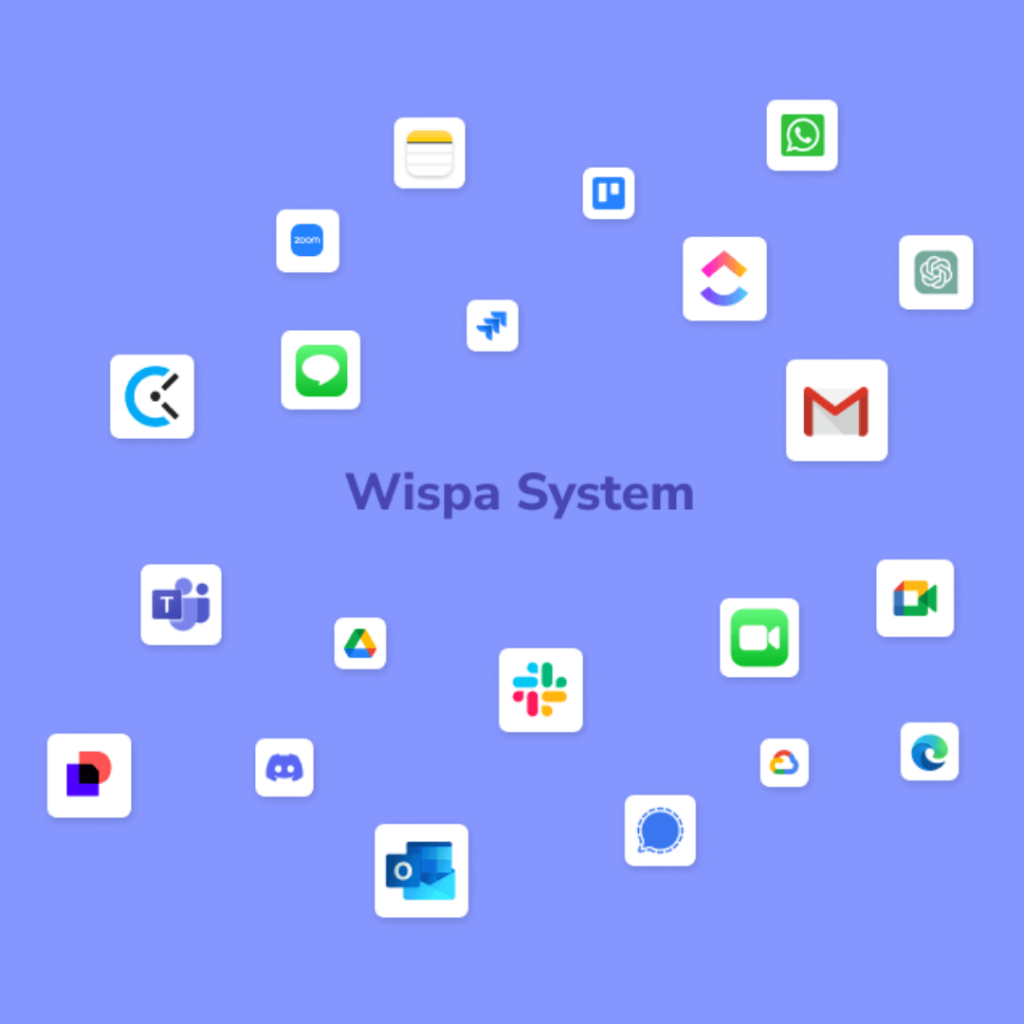
There’s a point in every workday, usually sometime around 11:23 AM, where you pause, stare at your screen, and think, “What was I just doing?” You try to retrace your steps. You were in Slack replying to a message from someone in marketing, but then you remembered an invoice you had to send, which led you to QuickBooks. On your way there, you saw an email come in from a client and opened Gmail. That triggered a reminder about an upcoming Zoom meeting, and while logging in, you realized the agenda was saved in Google Docs, which is… where? And that’s when you realize, again, you’ve been flipping between apps like a short-circuited robot, and you’re not even sure what task you started with and where exactly you are heading. Sadly, this is the reality of modern work life, which not only hampers our efficiency but also our focus. Slack, Zoom, Google Docs, Trello, Dropbox, Gmail- the apps that we once thought would save us time, improve collaboration, and boost productivity (which they individually do)- have actually started to eat away our workdays. Honestly, these tools are not to blame, but rampant tab switching and context switching is, which we do to get a variety of tasks done. Did you know that an average employee uses over 10 different SaaS tools daily and wastes up to 32 days per year just switching between apps (Source)? That’s not just inefficient; it’s a direct hit to your team’s focus, output, and long-term growth. How Wispa Can Help Save Time? Wispa is the complete business management platform that replaces multiple disjointed tools with one platform that actually makes sense. This platform is not one more app in the chaos but rather the place where chaos finally quiets down. It centralizes everything in one location. You can integrate MS Word, Excel, Outlook, Gmail, Google Docs, OneDrive, Google Drive, Dropbox, WhatsApp, Slack, Teams, and more. This means merging your communication, task management, file sharing, meetings, CRM, automations, and reporting into one cohesive system to reclaim their time and focus. Here are 5 amazing ways Wispa can help you eliminate inefficiencies, save time, and keep your business on track. 1. A Unified Workspace That Thinks Like You Do Let’s start with the basics: your dashboard. Meet Sarah. She is a project manager at a mid-sized construction firm. Her day usually begins at 8.15 am with task reviews in Asana, a quick Slack catch-up, a glance at Gmail, and then opening Dropbox to check shared documents. That’s four apps before 9:00 AM. Ever since Sarah chose to work on Wispa, she wakes up to a different kind of morning. She logs into one platform and sees everything: pending tasks, unread messages, upcoming deadlines, recent project updates, and even birthday reminders-all in one place. Wispa’s dashboard isn’t just a place where Sarah sees things; it’s a place where she starts to act on them without wasting any time. Need to assign a task? She does it directly from a Slack message.Want to attach a contract? She pulls it straight from her Google Drive or Dropbox folder without leaving the screen. In Wispa, everything talks to everything else. There is no need to jump between windows to piece your day together, and your whole work life is reflected in one clean, connected view. 2. Communication That Lives Where the Work Is We’ve all been guilty of sending a message in Slack and following up via email, only to discover a teammate responded to the wrong thread. It’s frustrating, and more importantly, it wastes time. Communication is the lifeblood of any organization, but using separate apps for messaging (like Slack or Microsoft Teams) and project updates often leads to missed information and scattered conversations. Wispa eliminates this by embedding communication directly into your workflows. Instead of having separate apps for chats, calls, and tasks, Wispa keeps the conversation where the work lives. With Wispa by your side, you get clearer updates for faster decision-making. There is no wondering what was decided. Every message, meeting, and follow-up stays anchored to the actual work. This may look like a convenience feature, but it’s a mindset shift. With Wispa, you stop treating communication as something separate from work and start seeing it as part of the work. 3. Integrated File Management Think about the last time you searched for a file. Did you find it immediately? Or did you scan five platforms, a few emails, and one random USB stick? McKinsey found that the average knowledge worker spends 1.8 hours every day (Source)- that’s almost 20% of their working time, utilized (or rather wasted) searching for and gathering information. Juggling between Dropbox, Google Drive, and endless email attachments is a daily time sink. Wispa ends this scavenger hunt with a built-in file system that brings sanity to your file management system. Let’s say you’re hunting for a signed NDA. With Wispa, you don’t need to check your inbox, Slack, or Drive separately. Just search the file name, and you’ll find not only the PDF but also the discussion thread, task history, and related deadlines- all linked, all in one place. 4. Automated Workflows That Actually Work Let’s be honest: Manual work is the enemy of productivity, and we cannot do without automation if we want to keep pace with modern workflows. But you may have realized by now that most automation tools are either too basic or too complicated. They require separate logins, technical workflows, or expensive integrations. And most businesses end up half-using them, if at all. But Wispa doesn’t do automation like that. It builds it into your daily workflow- no third-party apps required. Take Maria, for example. She runs an e-commerce business, that was drowning in repetition: syncing order data, writing product descriptions, generating shipping labels, and much more. Wispa helped her stop doing everything manually. With custom workflows, Maria automated order-to-delivery tasks. Wispa’s AI tools helped her generate brand-aligned product content. Time saved: 14 hours a week. ROI:
Top 10 Signs Your Business Needs Better Task Management

In today’s fast-paced, digitally-driven world, effective task management can be the difference between a thriving, organized business and one that constantly struggles to meet deadlines and satisfy customers. Whether you’re a small startup or a growing mid-sized enterprise, the ability to manage tasks efficiently impacts everything from employee morale to customer satisfaction and bottom-line profits. If you’re wondering whether it’s time to rethink your task management strategy, here are the top 10 signs that your business needs better task management—plus how a Business Management System (BMS) or business management platform can streamline your operations and boost productivity. 1. Missed Deadlines Are Becoming the Norm If projects are consistently behind schedule, it’s a clear sign that your current task management methods aren’t working. Missed deadlines not only frustrate clients but also cause internal stress, leading to a ripple effect of delays in other projects. How a BMS Helps: A business management system or consulting software centralizes all task assignments, timelines, and progress tracking. With automated reminders and Gantt chart views, your team always knows what’s due and when. 2. Lack of Visibility Into Who’s Doing What Ever asked your team who’s responsible for a task, only to be met with blank stares or conflicting answers? Without clarity, tasks fall through the cracks or get duplicated, wasting time and resources. How a BMS Helps: A good BMS provides a transparent view of who is assigned to each task, their progress, and their workload. This eliminates confusion and allows managers to balance assignments more effectively. 3. Communication Breakdowns Are Frequent When team members rely on emails, chats, and verbal updates to manage tasks, information inevitably gets lost. Miscommunication leads to errors, rework, and strained relationships. How a BMS Helps: With built-in communication tools and task-specific comment threads, a BMS ensures that all relevant discussions are centralized and accessible. Everyone stays on the same page, reducing misunderstandings. 4. You’re Still Using Spreadsheets for Project Tracking While spreadsheets are great for data analysis, they’re not ideal for tracking tasks and managing workflows. They require manual updates, lack collaboration features, and don’t scale well. How a BMS Helps: A BMS offers dynamic, real-time task tracking features with collaboration tools, notifications, and file attachments. It replaces static spreadsheets with interactive dashboards and live updates. 5. Team Morale Is Low Due to Overwork or Confusion When employees are unclear about priorities or are constantly overloaded with unbalanced workloads, morale suffers. This can lead to burnout, high turnover, and a toxic work environment. How a BMS Helps: A BMS helps visualize workloads and allocate resources evenly. Team members can view priorities, upcoming tasks, and deadlines clearly, reducing stress and empowering them to manage their time effectively. 6. Customer Satisfaction Is Declining Unmet deadlines, poor communication, and errors trickle down to your customers. If complaints are increasing or client retention is dropping, poor task management might be to blame. How a BMS Helps: BMS platform offers client portals, progress reports, and timelines that can be shared externally. They help ensure that deliverables are met on time and that clients are always kept in the loop. 7. No Way to Measure Performance or Productivity If you can’t quantify how your team is performing, it’s impossible to improve. Relying on gut feelings or anecdotal evidence to assess productivity leads to misinformed decisions. How a BMS Helps: With built-in analytics, a BMS provides insights into task completion rates, average project duration, employee efficiency, and more. You get the data needed to make strategic decisions and optimize workflows. 8. Project Scope Constantly Creeps Scope creep occurs when new tasks are added without adjusting timelines or budgets. Without a formal process for managing and approving changes, projects quickly spiral out of control. How a BMS Helps: A BMS helps define task scopes and allows for structured change requests. You can log, review, and approve modifications with full visibility into their impact on timelines and resources. 9. Scaling Is a Nightmare As your business grows, managing more clients, employees, and projects with manual processes becomes unsustainable. You’ll find yourself buried in tasks without the infrastructure to handle them. How a BMS Helps: A BMS is designed to scale with your business. Whether you grow from 5 to 50 or 50 to 500 team members, the system keeps workflows streamlined, organized, and automated—supporting sustainable growth. 10. You’re Spending Too Much Time on Admin Work If you or your managers are buried in repetitive admin tasks like sending reminders, updating spreadsheets, or checking in on statuses, that’s time not spent on strategic growth. How a BMS Helps: Automations are one of the biggest advantages of a BMS. Automatically assign tasks, send deadline alerts, generate reports, and track progress—all without manual intervention. It saves hours of time every week. A Business Management System (BMS) is a comprehensive software platform that combines task management, project planning, CRM, document management, and communication tools into one integrated interface. Unlike single-purpose tools like Trello or Asana, a BMS provides a broader range of capabilities that help unify different business functions under one roof. Key Features May Include: Final Thoughts: Better Task Management Is a Strategic Advantage When your business struggles with task management, it doesn’t just affect day-to-day operations—it impacts your brand, employee satisfaction, client relationships, and ability to grow. A Business Management System can transform chaos into clarity, replacing missed deadlines, confusion, and inefficiencies with structure, accountability, and agility. If you recognize even three or more of the signs listed above, it’s probably time to consider implementing a BMS. Think of it not just as a software investment, but as a long-term commitment to improving your business’s performance and resilience. Better task management isn’t a luxury—it’s a necessity. Start your 90-day free trial today and experience the power of a business management system firsthand.