7 Game-Changing AI Tools for Consultants You Can’t Afford to Miss
Consulting is a quick job, and clients demand quick answers. Manual work takes too much time. Using the right AI tool for consultants is now essential to save time and work smarter. AI helps in many ways. Some tools create reports, slides, and proposals. Others analyze large data to find patterns. Some manage meetings, record calls, and update task lists. These AI consulting tools act like a smart assistant, helping one consultant do the work of many. AI reduces mistakes, speeds up work, and frees time for planning and client focus. It also gives small teams the power to compete with big firms. Using AI keeps consulting efficient, accurate, and future-ready. Let’s check out how these AI tools can help consultants in providing the best results. Importance of AI in Consulting The consulting industry moves very fast today. Old methods cannot keep up with digital business. Artificial intelligence now plays a key role in modern consulting. AI for consultants helps manage large amounts of data and meet client needs for quick answers. How AI is Transforming Consulting Workflows AI now supports daily consulting work from start to finish. It makes work simple, fast, and clear. Seamless Process Standardization: Platforms like Wispa turn meeting notes into clear SOPs. Teams share knowledge easily across the firm. Automated Project Discovery: AI checks client requests and connects them with the right consultant. This speeds up project start. Real-Time Data Synthesis: AI collects data and reports in minutes. Consultants get useful insights without long research. Continuous Meeting Documentation: Tools like Otter.ai and Wispa record meetings and list action points. Consultants focus fully on clients. Dynamic Strategy Mapping: Live boards update plans when market or sales data changes. Teams adjust quickly. Benefits of AI for Consulting Firms Higher Work Speed: AI handles simple tasks like notes, reports, and data updates. Consultants save time and take more clients. Better Data Quality: AI reduces mistakes in numbers and analysis. Consultant AI supports decisions with clear and correct data. Early Market Insights: AI studies market trends and business data. Firms spot changes early and give timely advice. Stronger Client Relationships: AI cuts office work. Consultants spend more time talking with clients and giving clear guidance. Overview of Game-Changing Tools Today’s market offers AI consulting tools for thoughtful business planning. These tools act as digital helpers. Such systems improve data use and client service. Proper use supports every project stage from start to finish. Categories of AI Consulting Tools AI consulting tools help consultants work faster and smarter. Each type supports a different part of the project and makes daily work easier. Research and Market Data: Tools like AlphaSense collect data and news. These tools provide short and clear summaries. This process helps quick market understanding. Meeting and Collaboration: Tools such as Otter.ai and Fireflies record meetings and change voice into text. These tools list tasks and note the client’s mood. This method keeps work clear and organized. Workflow and Operations: Tools like Wispa store work rules and files in one place. This system supports task control and easy information sharing. Generative Content: Tools like Jasper and Gamma create proposals and slides. This support saves time and improves content quality. Analytical Engines: These tools study numbers and predict results. This function supports better planning and lowers risk. How These Tools Support Data-Driven Decision-Making AI replaces guesswork with facts. These tools process large data sets like reviews and reports. Patterns appear faster, and possible outcomes show before decisions. Enhancing Accuracy and Reducing Risk: Manual work causes errors. AI checks data with full accuracy. Early issue detection reduces risk and supports confident action. Speed and Competitive Agility: AI saves time. Insights arrive in hours instead of weeks. Fast access to data supports quick action when markets change. 1. AI-Powered Research Tools Market research now moves faster with AI. Old methods take too much time. Innovative AI tools give clear answers in real time. This change helps companies that offer AI consulting for business. 1.1 Research Business Advisory Tools AI tools for consultants conducting market and business research AI tools help consultants save time. AI studies company data and market data together. This helps create clear plans and strong business ideas. AI also helps prepare strategy notes and pitch decks. This reduces extra work and improves focus on clients. 1.2 Market Analysis and Insights AI finds market trends quickly. It studies sales data, online activity, and market signals. AI shows what may happen next in the market. This helps businesses plan product launches and market entry. Tracks Performance: AI also tracks competitor activity like website changes and public reports. This gives a clear view of the market and supports competent advice. Enhancing Strategic Planning: AI helps test different business ideas. It shows results before action. This helps choose the best option. + Efficiency and Accuracy: AI works fast and stays accurate. It reduces mistakes. It improves service quality. Consulting firms grow faster with AI support. Smart AI use now drives business success. 2. AI Tools for Healthcare Digital Transformation Hospitals need innovative tools to manage patient care. AI consulting tools make data easy to use and care for faster and better. Using these tools is no longer optional—it is essential for modern healthcare. 2.1 Benefits of AI in Healthcare Consulting Schedule appointments and manage bills. Watches data to keep patient information safe and private. Looks at patient history to find health risks early. Gives care plans that fit each patient. Reduces paperwork so staff have more time for patients. Helps teams work together efficiently. Shows tasks and reminders clearly. Using consultant AI tools like Wispa makes hospitals faster, safer, and better for patients. 2.2 Leading Tools and Platforms Popular AI consulting tools used in healthcare projects Wispa Gives one place to manage work, follow progress, and communicate easily. IBM Watson Health Looks at a lot of medical data and finds better treatment ideas. Nuance DAX Records doctor and patient talks and makes correct notes automatically. LeanTaaS Shows how to use hospital beds
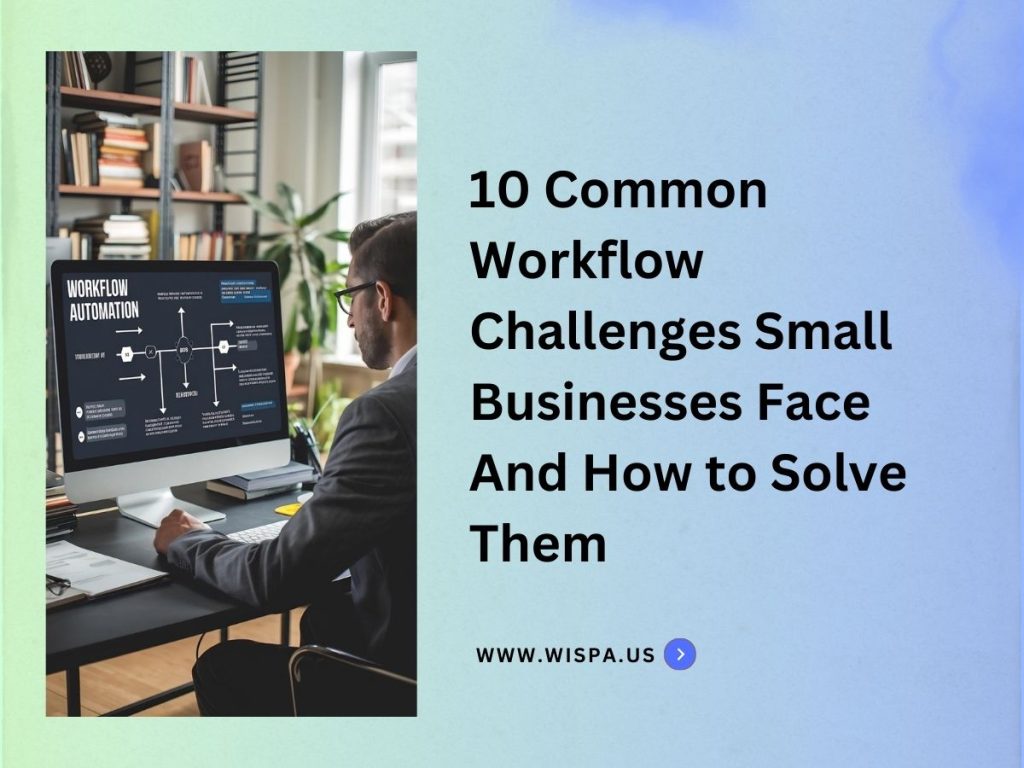
10 Common Workflow Challenges Small Businesses Face (And How to Solve Them)
Running a small business often feels like solving a puzzle. The pieces keep shifting, and you’re expected to make them fit. Owners juggle tight budgets, small teams, and rising client demands. What feels manageable with five employees can overwhelm you at twenty. A single missed email, a delayed approval, or a misplaced file can quickly snowball into lost revenue and unhappy customers. In the United States, there are 33.3 million small businesses. They make up 99.9% of all businesses, and most share the same challenge: underdeveloped workflow management. Weak workflows ripple across every operation, slowing progress, straining collaboration, and limiting growth. Workflows aren’t simple checklists. They’re structured sequences of tasks, dependencies, and roles that move work from start to finish. When those sequences aren’t clear, you see delays, confusion, and wasted effort. In this article, let’s walk through the ten most common workflow challenges small businesses face, why they happen, and how to fix them. Why Small Businesses Struggle with Workflow Management Small businesses often face hidden barriers that make managing workflows harder than it should be. Limited Resources and Tools Most small businesses don’t have enterprise project managers or high-end IT systems. Instead, they rely on spreadsheets, emails, and messaging apps. While affordable, these tools create silos that slow down operations. Imagine a retail startup tracking sales in Excel, inventory in Google Sheets, and shipping updates in WhatsApp. Eventually, mismatches happen, delays creep in, and customers feel the impact. Without integration, employees become “human middleware,” manually copying data between platforms. Every transfer risks errors and duplicates. Instead of focusing on growth, teams spend hours reconciling information. Without a unified system, efficiency becomes nearly impossible. Lack of Formalized Processes In early stages, small businesses often thrive on flexibility. They use quick chats, gut instincts, and fast fixes to move forward. That works with three clients but crumbles when you are managing thirty. For example, one project manager might send briefs by email, while another prefers chat. This inconsistency leads to repeated mistakes and missed approvals. From a technical view, skipped steps or unordered actions weaken accountability. Without templates or process maps, new hires struggle to understand expectations. Training takes longer, and mistakes become harder to prevent. Resistance to Change or New Technology When resources are limited, change feels risky. Teams often resist new tools because they fear steep learning curves. Others doubt the return on investment or cling to familiar routines. For instance, an accounting firm still using paper-based approvals may hesitate to adopt digital systems, even while delays pile up. This reluctance creates something called “legacy process debt.” The longer outdated workflows remain in place, the harder and more expensive they are to fix later. Meanwhile, competitors adopt automation, track performance in real time, and move ahead. Major Workflow Challenges Small Businesses Encounter Inefficient workflows don’t just waste hours, they limit trust and revenue. Small businesses face unique workflow struggles that slow growth. Here are the biggest challenges you need to know. Workflow Bottlenecks that Slow Down Progress Bottlenecks often form when processes depend on a single approval or key knowledge holder. If that person is away, everything stalls. Picture a consultancy where every contract needs one partner’s signature. A single business trip can freeze multiple projects. Technically, bottlenecks serialize workflows. Tasks line up in a queue instead of running in parallel. This blocks scalability and frustrates employees. Clients also lose trust when timelines slip repeatedly. Solution: Implement a system with conditional logic workflows where approvals cascade or reassign automatically. With proper setup, tasks keep moving even if someone is unavailable. Process Inefficiencies that Waste Time and Resources Manual data entry, duplicate reports, and disjointed tools cost valuable time. For example, an e-commerce store exporting Shopify orders to Excel before emailing them to couriers faces risks at every step. These inefficiencies stem from non-integrated environments. Without APIs or automation, employees act as intermediaries, slowing everything down and multiplying errors. Solution: Opt for a workflow management tool that helps you automate repetitive transfers and create a single source of truth. Connected workflows update information across systems in real time helps save hours and prevent mistakes. Poor Team Collaboration and Communication Gaps Collaboration breaks when communication is scattered. A copywriter working from an email brief while the designer uses chat updates leads to mismatched deliverables. This happens because information is trapped across different platforms like Slack, Gmail, and shared drives. Important updates get buried, and accountability fades. Solution: Embed communication into the workflow itself. Every task should carry its context: files, chats, and comments linked directly. This reduces app-switching and ensures collaboration is tied to work progress. Unclear Task Ownership and Accountability In small businesses, employees wear multiple hats.Without explicit task ownership, responsibilities slip. For example, two HR team members assuming the other scheduled interviews can leave candidates waiting weeks. From a workflow perspective, tasks become orphans, initiated but lacking a responsible owner to complete them. This undermines accountability and slows operations. Solution: Every task must have a single owner, even in cross-functional teams. Roles, deadlines, and dependencies should be clearly defined. Automated reminders prevent tasks from being overlooked. Difficulty Adapting to Process Changes or Scaling Workflows What works for five clients collapses at fifty. A tax consultancy built around ad-hoc processes may suddenly drown in paperwork when demand surges. Technically, this occurs because workflows lack modularity and scalability. Without templates, cloning, or process branching, teams cannot replicate successful workflows at scale. Solution: Adopt modular workflow design. Create reusable templates that adapt to different clients or departments. This ensures consistency while maintaining flexibility for growth. Lack of Visibility Into Work Progress Many small business leaders rely on manual updates, emails, meetings, or status calls, to understand progress. By the time an issue surfaces, it’s often too late. A construction contractor may only discover material shortages once deadlines are already missed. The core issue is the absence of real-time dashboards. Without them, leaders can’t see metrics, workloads, or delays as they happen. Solution: Use systems that provide real-time tracking and reporting.
Why Workflow Management is Critical for Small Business Growth

Running a small business often feels like spinning a dozen plates at once. At first, the rush is exciting. You have momentum and raw energy. Soon, the daily grind catches up. You find yourself chasing payments, calling clients, and managing vendors all at the same time. Small problems quickly turn into big disruptions. A single late invoice or a missed call can cost you a valuable client. Over time, these lost chances hurt your bottom line. They also drain your team’s motivation. The very team that once worked perfectly together now struggles to know who is doing what. This is where workflow management steps in to save the day. It ensures every task has a clear path and every person knows their exact role. In this guide, we will explore what workflow management means. We will also look at why your business needs it and how the right software can boost your success. The Importance and Meaning of Workflow Management Workflow Management Meaning & Key Definitions Workflow management, sometimes referred to as workflow managment, workflowmanagement, or management workflow, is the practice of defining, organizing, coordinating, and optimizing recurring business processes and tasks from initiation to completion. The meaning of workflow is bringing structure, repeatability, and clarity to how work flows throughout your organization. This covers everything from simple tasks to complex business process workflow management. Work Flow Meaning and Workflow Define The meaning of workflow can be boiled down to: a sequence of related steps or tasks, automated or manual, that achieve a specific business outcome. Managing workflow is about making those steps visible, streamlined, and consistent. When you define workflow management, you commit to documented, managed, and optimized ways of working, reducing errors and increasing project completion rates. Workflow Management Systems: Types, Definitions, and Real-World Examples What is a Workflow Management System? A workflow management system (WMS) or workflow management systeme is an application or platform built to facilitate, automate, and monitor business workflow processes. The workflow management system definition covers software that allows teams to model workflow, assign and track tasks, monitor deadlines, and improve visibility and accountability. You’ll find management system workflow tools across industries—finance, IT, manufacturing, marketing, construction, and more. What Is a Workflow System or Workflow Platform? A workflow system, workflow software, or workflow management platform is a coordinated set of tools, technologies, and processes used to define, automate, control, and monitor workflow processes. Workflow system definition often emphasizes features like automated routing, reports, approvals, and integrations with CRM, project, and document workflow management software. Workflow Management System Examples Employee onboarding processes Sales approval flows Recurring project management workflows Purchase order and invoice management Production workflow management in inventory and logistics What Is Workflow Management Software and How Does It Work? Workflow Management Software: Meaning, Core Features & Benefits Workflow management software (sometimes called workflow managment software, management software workflow, or workflow management applications) is a digital tool for automating, monitoring, and optimizing all workflow processes in an organization. This software gives businesses centralized control over task management workflow, resource allocation, performance tracking, and process improvement. Key Features of Workflow Management Software and Workflow Management Tools Customization: Customizable workflows, templates, and rules. Automation: Built-in workflow automation software and workflow optimization tools that handle repetitive or logic-dependent tasks. Reporting: Advanced analytics, workflow analysis tools, and dashboard reporting. Integration: Seamless connection with CRM, communication, calendar, and document management systems. Collaboration: Real-time file sharing, comments, notifications, and centralized communication. Mobility: Web based workflow management and cloud based workflow management for work from anywhere. Security: Role-based permissions and audit trails. Workflow Software Examples Wispa (business workflow management system, AI and automation focus) Asana, Monday.com, ClickUp (project workflow management software) Smartsheet (spreadsheet–style process tracking software) Jira, Trello (workflow management tools software, agile workflows) Pipefy, Process Street (workflow management solution for standard operating procedures) Understanding Workflow Processes in Small Businesses The Anatomy and Meaning of Workflow and Process Workflow Management A workflow is a predefined, repeatable set of tasks or activities, often mapped in a flowchart or checklist, that drives a business objective. Process and workflow management refers to the coordinated execution of these tasks. Common Small Business Workflow Management Program Use Cases Client onboarding and CRM with workflow management Product launch or marketing workflow tools Manufacturing workflow software for production tracking Document and workflow management software for version control and approval Benefits of Workflow Management Solutions for Small Businesses Unlocking Efficiency, Consistency, and Accountability Reduced Manual Errors: Workflow management software minimizes human error with structured workflows, workflow controls, and approval steps. Transparency and Visibility: Get real-time workflow tracking software and analytics, so everyone sees project status and bottlenecks. Increased Productivity: Automated workflows free employees from repetitive work, allowing focus on high-value tasks. Enhanced Collaboration: Workflow management platforms centralize communication and document management, reducing email overflow and missed messages. Scalability: Easily scale from basic workflow management software to enterprise workflow management system as the business grows. Examples: Using digital workflow tools to onboard clients results in fewer delays and missed signatures. Workflow management tools open source allow for affordable, flexible customization as needs evolve. Production workflow software provides instant insights into bottlenecks and resource shortages. Workflow and Task Management: Tools, Tips, and Best Practices Steps for Successful Workflow Management Process Define a Workflow: Document each step, assign responsibilities, and clarify deadlines. Map and Document: Use workflow visualization tools and workflow design software to create visual flowcharts, making processes transparent. Implement Automation: Adopt workflow automation software for approvals, reminders, and data handling. Monitor and Optimize: Track real-time process and workflow performance, using workflow optimization software for continuous improvement. Promote Organizational Workflow: Enforce usage across departments and encourage feedback for workflow improvement. Stay Agile: Adjust workflows as business needs change, employing customizable workflows and digital workflow management. Tools & Resources Online Workflow Management Systems or Cloud-Based Workflow Software: These tools provide mobility and accessibility, allowing teams to collaborate on workflows from virtually anywhere. They also often include features like real-time updates, progress tracking, and integration with other digital tools, ensuring that the
What Is Workflow Management? A Beginner’s Guide for Small Business Owners

Managing a small business often feels like a constant juggling act. You manage your staff, keep customers happy, and try to turn a profit. You have to do all this while keeping the business running smoothly. It is easy to get overwhelmed. The real challenge is to simplify your daily work without dropping your high standards. This is exactly where workflow management steps in to help. Workflow management acts as the engine of your business efficiency. It offers a balanced framework to automate and speed up your daily routines. By using it, small business owners can cut down on mistakes and boost overall output. This guide explores the basics of workflow management. We will look at what it means, why it matters, and how it benefits your growing business. What Exactly Is Workflow Management? Let’s start with a simple definition. Workflow management is the process of designing, running, and improving your business tasks. A “workflow” is simply the specific order of tasks you follow to get a job done. It is the step-by-step path from the start of a project to the finish line. Workflow management ensures your team executes these tasks in the most efficient, error-free way possible. How It Applies to Everyday Operations Workflow management touches almost every part of your daily operations. You use workflows even if you do not realize it yet. Think about these common daily tasks: Sorting and managing inventory. Answering customer questions or complaints. Sending out bills and tracking payments. Approving time-off requests for employees. A clean, well-designed workflow system makes these repetitive jobs incredibly easy. It removes unnecessary delays and stops your team from guessing what to do next. Why Efficiency Matters for Small Businesses When you build strong workflows, your business runs like a well-oiled machine. By bringing workflow management into your daily routine, you can: Spend less time doing manual, boring work. Drastically reduce human errors and mistakes. Help your team members talk and work together easily. Give your customers a smooth, satisfying experience. Signs Your Business Needs Better Workflows How do you know if you need to manage your workflows better? Many small business owners ignore the warning signs until problems pile up. Look out for these common red flags in your daily operations: Missed deadlines: Projects often run late because team members wait on each other. Lost information: Important details get buried in messy email threads or sticky notes. Constant questions: Employees constantly ask you how to do basic, routine tasks. Angry customers: Clients complain about slow service or mistakes in their orders. If these sound familiar, it is time to map out your processes and regain control. Why Workflow Management Matters for Small Businesses You might think only massive corporations need to manage their workflows. This is a common myth. Small businesses actually benefit the most from getting organized early on. Here are the biggest benefits you can expect. 1. Get Your Time Back One of the absolute best benefits of workflow management is saving time. Every week, you and your team waste hours on repetitive chores. Automating labor-intensive jobs changes everything. When you automate tasks like processing invoices or welcoming new clients, you get your schedule back. You can then use this crucial time to grow your business, find new clients, and brainstorm new ideas. 2. Reduce Costly Human Errors Manual tasks almost always lead to mistakes. A tired employee might type the wrong number on an invoice or forget to email a client. These errors can cause real financial losses. They also make your customers very unhappy. Automated workflows guarantee accuracy. They ensure your team follows the exact same steps every single time. This consistency cuts down on wasteful errors and protects your bottom line. 3. Boost Team Productivity and Collaboration A proper workflow makes teamwork incredibly easy. When everyone knows their exact role, work flows smoothly from one person to the next. Your employees can easily check the progress of any task. They can spot roadblocks and fix them before they cause delays. Working closely together like this naturally increases your team’s daily output. 4. Enhance Customer Satisfaction Efficient workflows directly lead to better customer service. When you fix your internal processes, your customers notice the difference immediately. They enjoy much faster response times. They receive the correct orders without a hassle. This seamless operation builds trust. Happy customers will stay with you longer and recommend you to their friends. Common Use Cases for Small Businesses Are you wondering how this looks in the real world? Here are a few ways small businesses use workflow management every day. Seamless Customer Onboarding Welcoming a new client should feel exciting, not stressful. A functional workflow automates your entire onboarding process. It can send out welcome emails automatically. It can gather client data through simple forms. It ensures your client moves smoothly into using your services. This boosts your efficiency and makes the client feel highly valued right from the start. Faster Invoice and Payment Approvals Processing bills by hand takes too much time. It also leaves room for counting errors or lost paperwork. Workflow systems completely streamline this process. They automate how you create, approve, and track invoices. This speeds up your transactions and ensures you get paid much faster. Simple Employee Leave Management Handling employee vacation time by hand causes major headaches. It leads to scheduling gaps and confused managers. Workflow automation handles all of this easily. Employees submit requests through a simple portal. Managers approve them with one click. The system then updates your team calendar automatically. This keeps your workforce properly managed and happy. Content Creation and Marketing Marketing requires many moving parts. You need writers, designers, and managers to work together. A marketing workflow tracks a blog post from the first idea to the final published page. It notifies the designer when the writer finishes the text. It alerts the manager when the images are ready for review. This keeps your marketing campaigns running perfectly on schedule. How to Get Started
One Powerful System to Rule Them All: Why Smart Businesses Are Moving to Wispa

Business efficiency is the lifeline of modern survival. In our permanent state of digital connection, companies face increasing workflow complexities. They must handle cross-functional cooperation under intense operational demands. They often have to perform better with fewer resources. Yet, many still rely on scattered, disconnected tools. Wispa serves as a much better option. Wispa is a fully integrated business platform. It has the ability to revolutionise the operational practices of contemporary companies. In fact, organisations using Wispa report efficiency improvements and cost reductions averaging 17%. This is a direct influence on your financial results. Wispa serves as a groundbreaking tool that shapes beneficial changes for business operations. Let’s break it down. Streamlined Operations: The New Standard You have likely heard it before. Businesses succeed because they achieve operational streamlining along with operational efficiency. But what does operating “operationally streamlined” actually represent? Running operations using haphazard software platforms is a strategy of the past. Smart businesses have left this behind. You do not require five separate communication tools. You don’t need three project management systems. You certainly don’t need several document-sharing tools to operate effectively. Forward-thinking businesses use one unified system. This system spans across every business element. It eliminates multiple discrete tools from their operations. Wispa embodies that philosophy. It isn’t just efficient—it’s streamlined. A unified system operation remains the deciding aspect in efficient business management. One Powerful System to Rule Them All Wispa provides businesses with a centralised functional stronghold. It serves as a transformative control centre. It’s the tool your team never expected but will soon find indispensable. Here are the most notable elements found in Wispa: Integrated Video, Chat, and Document Centers One online platform should be your only stop. You shouldn’t need separate apps for Zoom, Slack, and Google Drive functions. The ecosystem of Wispa brings communication together with file sharing. It creates a unified environment. This maintains team connection free from digital chaos. Work Tracking, Project Management, Tasks, and To-Do’s Whether you’re running agile sprints or simply need to assign deliverables, Wispa helps. Its comprehensive task management system makes it easy to keep projects on track. More importantly, it keeps people accountable. You can track to-dos and monitor progress instantly. Unified Company Calendar, Announcements, and Suggestion Systems Wispa provides more than just an update function. It maintains organisational alignment. It features a single shared calendar and an announcement feed. It also includes integrated suggestion functions. Wispa enables organisations to develop open, transparent workplaces that keep everyone involved. Team Communication, Client Management, Accountable Meetings, and Document Sharing Every meeting—both internal and external with clients—needs structure. Wispa ensures meetings follow a structured format while remaining efficient. It also ensures proper documentation. Every communication becomes clear and structured. This prevents note loss and provides focused follow-ups. Real-Time Communication That Elevates Organizational Efficiency Speed matters. Wispa offers real-time messaging functions with instant file sharing. Live collaboration tools enable organisations to decrease delays. You can improve decision-making flow easily. This allows you to match current business speeds without lag. Beyond Tools: A Philosophy of Simplicity The core message of Wispa extends beyond its discrete features. The platform emphasises a different method of operation. Every software platform tends to develop complexity as user numbers increase. Wispa functions differently. It operates through a principle that simplicity advances through growth. The platform follows an intuitive approach. Wispa delivers its interface with a contemporary aesthetic. The system integrates all its features to minimise user obstacles. The result? This platform provides simplified operations. It makes things easier instead of producing additional complexity. Effortless Transition—No Headaches, No Downtime The main challenge businesses encounter is migration. Moving to a new platform often stems from fear of the actual migration procedures. Every organisation has faced software transfers that resulted in technical nightmares. They consume time. They create confusion. They demand continuous IT assistance. The transition to Wispa requires no struggle. The platform enables users to establish instant syncing without any service lapse. The transition requires simple migration services. There is no operational challenge. There is no IT troubleshooting required for the most part. You need hours, not weeks, to start using Wispa. And yes, it’s fully cross-platform. Wispa provides trouble-free usability for all teams. It works seamlessly on Windows, Mac, iOS, and Android. Your team members will have dependable flexibility through this system. Why 17% Matters: Real-World Impact Organisations that adopt Wispa achieve budget slashes. At the same time, they see operational efficiency improvements exceeding 17%. Consider a mid-size company with $10 million in yearly operations. A 17% efficiency gain would result in roughly $1.7 million in new profit or productivity. The savings from Wispa implementation are significant. They suffice for the development of new product lines. They allow for market entry. They enable employee reinvestment. The effects of Wispa implementation extend across all business organisations. It doesn’t matter the size. Cost cutting serves as a pathway to redirect resources. These resources become available for development, leading to enhanced innovation and satisfied customers. How Wispa Changes the Game for Different Teams For Executives: Your organisation will achieve complete transparency. You gain insight into performance records by implementing this system. Centred data and real-time reporting empower you. Advanced decision-making tools enable you to handle your company with certainty. For Managers: Coordinate projects from one dashboard. Communicate with stakeholders easily. Track deliverables to ensure they stay on course. Wispa brings managerial disarray under control. It turns chaos into managed execution. For Teams: Wispa enables teams to bid farewell to extended meetings. It centralises notes effectively. The combination of clarity and autonomy empowers teams. Wispa provides efficient collaboration, which leads to outstanding delivery results. For Clients: Clients will notice your effectiveness. They will appreciate easy communication channels. Structured information delivery ensures smooth cooperation. Wispa enables external relationships to operate at the same efficiency level as internal operations. Looking Ahead: The Future of Work Is Unified Organisations will require even more intuitive integrated platforms. Hybrid work continues to dominate. Companies are advancing their digital operations. The workplace of tomorrow depends on